Animal Obby
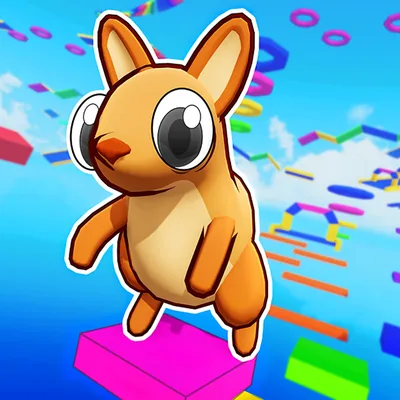
Animal Obby is a 3D obby: a course of jumps and hazards that you finish level by level, switching between five animals with different abilities. There is an online lobby so you can run it with friends.
YorikKreskJade team · updated 8 November 2026 · 2 min read
Facts at a glance
- Genre
- Adventure
- Made by
- Kimchi Soup Studios
- Devices
- Computer, phone, tablet
- Input
- WASD or arrows, Space, number keys 1-5, mouse; on mobile a left stick, right camera and a jump button
- Players
- Online lobby with friends, or on your own
- Session
- Level by level
- Account
- No account needed on Poki
- Fit for
- Poki shows no age rating for this game
- Updated
- October 2026
What a round looks like
An obby is an obstacle course, and in Animal Obby you move through it in 3D. Each level asks you to cross gaps, platforms and hazards to reach the end. What sets this one apart is that you can change animal during the run: gecko, monkey, kangaroo, turkey or elephant, each with its own ability.
On a computer you move with WASD or the arrows and jump with Space. The keys 1 to 5 switch animal, and the mouse is used for the on-screen buttons. On a phone or tablet there is a left joystick for movement, a right-hand area for the camera and a jump button.
For harder sections the game gives power-ups, including a flight boost. The Poki page also lists a lobby where you can play with friends. A first run is best spent without hurrying: look at the next obstacle, choose the animal for it, then move.
What each key does
- W A S D / arrowsMove
- SpaceJump
- 1 to 5Switch animal: gecko, monkey, kangaroo, turkey, elephant
- MousePress on-screen buttons
- Left stick (mobile)Move
- Right side (mobile)Move the camera
- Jump button (mobile)Jump
Tips for the first rounds
- 1Look before you jump. Decide which of the five animals fits the next gap, then switch with its number key before you leave the platform.
- 2Try every animal once on an early level so you know what each can do. The names alone do not tell you.
- 3Keep the flight power-up for a section that has already beaten you twice rather than spending it on the first hard jump.
- 4On a touch screen, set your camera thumb first and your jump thumb second; most missed jumps are camera problems, not timing.
- 5If you play in the lobby with friends, finish a level alone before you join them, so you are not learning the controls in front of others.
Who gets on with it
Players who like platform courses and are fine with repeating a jump until it works. It also suits groups, since there is an online lobby with friends.
The honest downsides
- Obby levels mean repeating sections, which can be tiring if jumping is not your thing.
- A 3D camera can be awkward on a small phone screen.
- Poki may show an advertisement before or between sessions. That comes from Poki, not from this site.
- The game was updated in October 2026, so what you see on Poki may differ a little from this description.
Similar pieces on the tray
Same WASD and Space controls, with other players instead of a course.
A slower game about one careful move, if the running and jumping gets too much.


Over to poki.com
The game is not played on this site. The link below opens its page on poki.com in a new tab, where Poki's own terms and advertising apply.
Questions about Animal Obby
- Which animals can I use?
- Gecko, monkey, kangaroo, turkey and elephant, switched with the 1 to 5 keys.
- Can I play with friends?
- Poki lists an online lobby with friends.
- Is it free?
- Yes. It is free to open on Poki and plays in the browser without a download.